TESTS & EXPERIENCES
Dockcase Studio review: Small, versatile and really fast
A compact USB-C hub with card readers, display and impressive speed.
Some accessories impress me precisely because they perform so many functions in such a small space. The Dockcase Studio is one of them: beautifully compact, versatile, and very fast in my tests. I'm thrilled with the hub. My biggest criticism, ironically, concerns the stylish surface – fingerprints show up immediately.
Small and versatile
Card reader, USB ports, HDMI and power supply in one compact device.
My SSD measurement
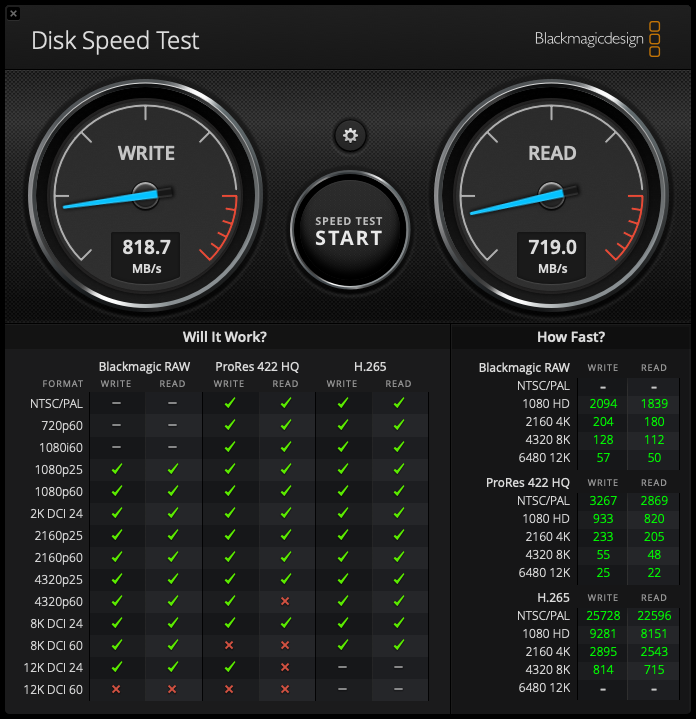
818.7 MB/s write and 719.0 MB/s read in the Blackmagic Disk Speed Test with an external 4 TB SanDisk SSD.
For my photography
Read SanDisk Extreme PRO CFexpress Type B with 256 GB and copy large amounts of images to the computer.
My point of criticism
The glossy surface looks good, but shows fingerprints very quickly.
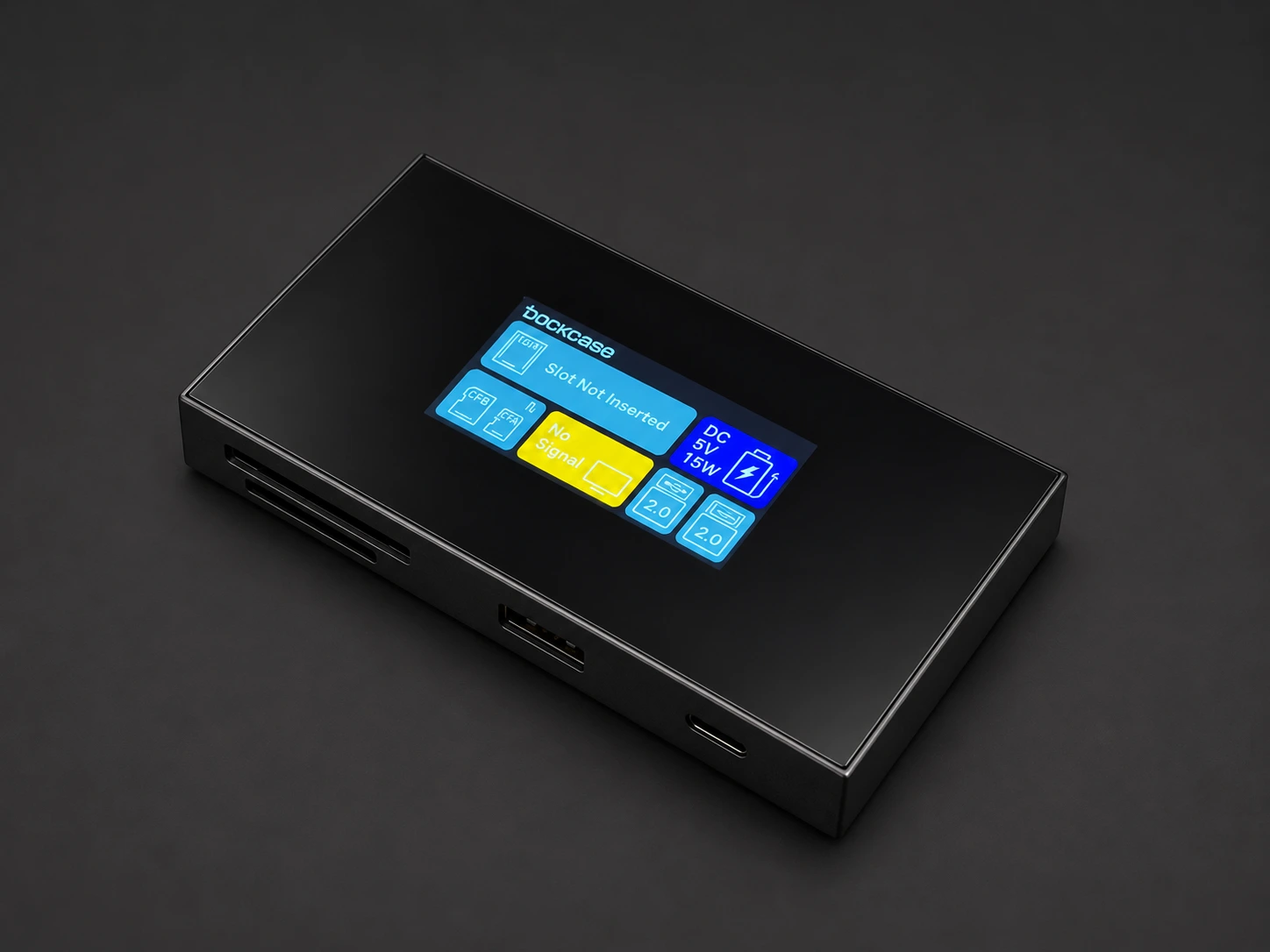
Many functions in a small space
What I immediately liked about the Dockcase Studio is its compact design. I don't want to carry a separate adapter for every memory card and every port. Here I get many options in one small device that integrates seamlessly into my setup.
This combination is particularly attractive for photography: reading a memory card, connecting an external SSD, and, if needed, connecting a monitor or power supply. In everyday use, what matters to me is that the necessary ports are readily accessible and data transfer is fast. That's precisely what convinced me about the dock case in my test.
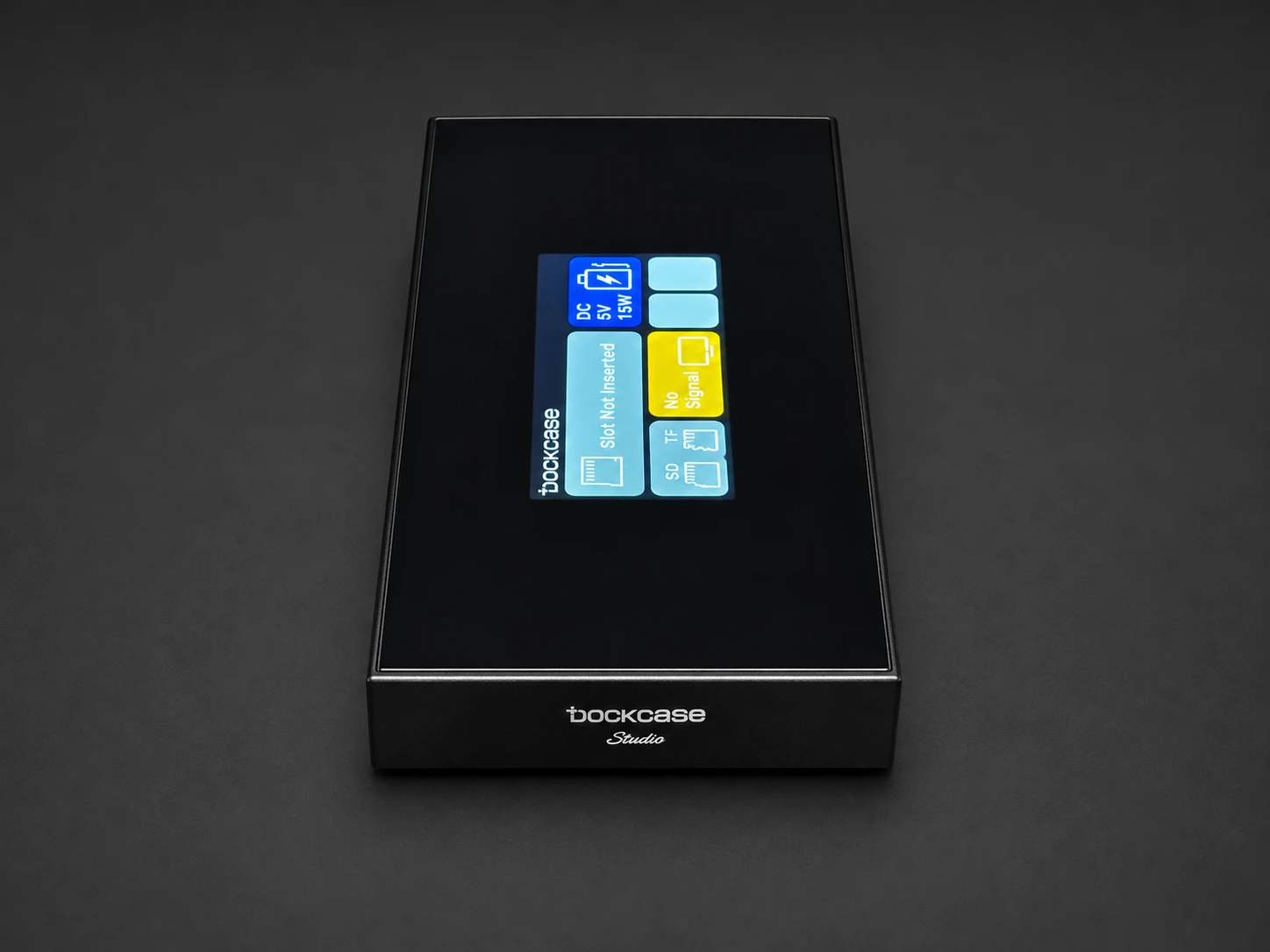
The connections: Card reader and hub in one
The Manufacturer CFexpress specifies Type A and Type B, SD and microSD with UHS-II, one USB-A and one USB-C data port each with up to 10 Gbit/s, as well as HDMI 2.1 and a USB-C PD input with up to 100 W. The 1.9-inch display is a touchscreen.
According to the datasheet, the hub measures 97.8 × 55 × 17.8 mm and weighs 118 g. The card readers are specified to achieve speeds of up to 800 MB/s for CFexpress Type A, 1,000 MB/s for Type B, and 312 MB/s for SD and microSD. These are manufacturer specifications, not values I measured myself at all slots.
I particularly like the selection of card formats. I used a SanDisk Extreme PRO CFexpress Type B with 256 GB. Those using different cameras will benefit from the additional slots for added flexibility.
All connections and functions at a glance
| Connection / Function | What I can use it for | Technical specifications and notes |
|---|---|---|
| USB-C HOST | Connection to the computer; shared data connection of the hub | Up to 10 Gbit/s; the connected devices share the available bandwidth. |
| CFexpress Type B | Reading and writing CFexpress Type B cards | According to the manufacturer, up to 1,000 MB/s; in practical use with SanDisk Extreme PRO, 256 GB. |
| CFexpress Type A | Reading and writing CFexpress Type A cards | According to the manufacturer, up to 800 MB/s; dedicated slot, no Type-B adapter required. |
| SD | Reading and writing SD memory cards | UHS-II; according to the manufacturer, up to 312 MB/s. |
| microSD / TF | Reading and writing microSD cards | UHS-II; according to the manufacturer, up to 312 MB/s; no SD adapter required. |
| USB-A data port | Connection of SSD, USB stick and other USB peripherals | USB 3.2 with speeds up to 10 Gbit/s. |
| USB-C data port | Connection of USB-C SSDs and other USB-C peripherals | USB 3.2 with up to 10 Gbit/s; to be distinguished from the HOST and PD connectors. |
| HDMI | Image output to an external monitor or television | HDMI 2.1; manufacturer's specification 4K with up to 120 Hz, depending on host, cable and display. |
| USB-C PD input | Connect a USB-C PD power adapter for power supply and pass-through charging. | Up to 100 W at the PD input; the actual charging power at the computer also depends on the hub's own power consumption and the setup. |
| Touchscreen | View and operate status information directly on the device | 1.9-inch LCD with 320 × 170 pixels; displays card, USB, HDMI and power status, among other information. |
| Protective function | Additional protection for the USB-C CC cables | The manufacturer mentions a 24V CC protection function. |
| Firmware updates | Update device software | According to the manufacturer, the firmware is updatable. |
| Design | Compact hub for desktop and on the go | 97.8 × 55 × 17.8 mm; 118 g; aluminum case with glass top. |
The technical maximum values are from the Dockcase product pageThese are not the simultaneous transfer rates achievable across all ports. My own measurements with an SSD and CFexpress card follow below.
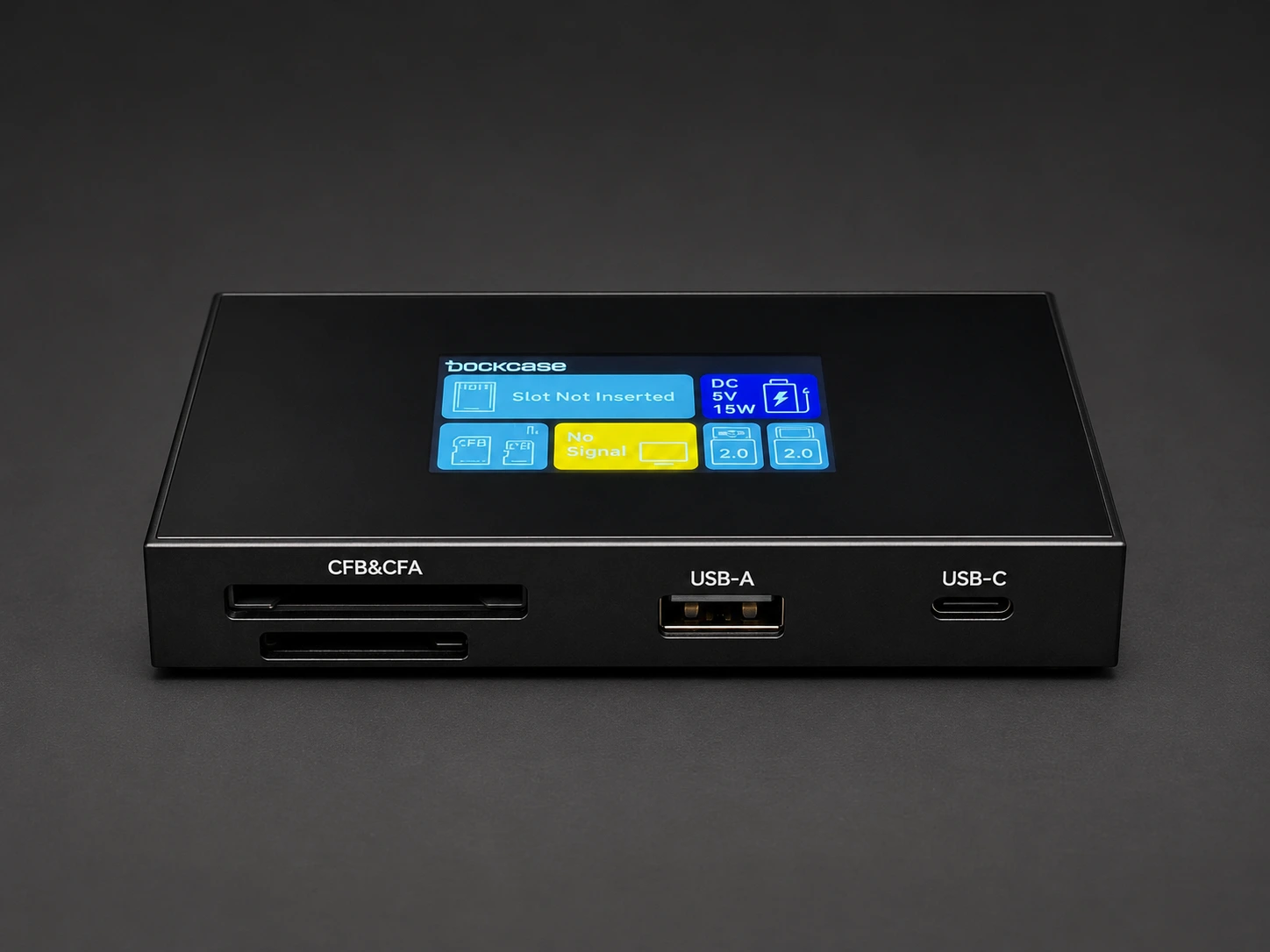
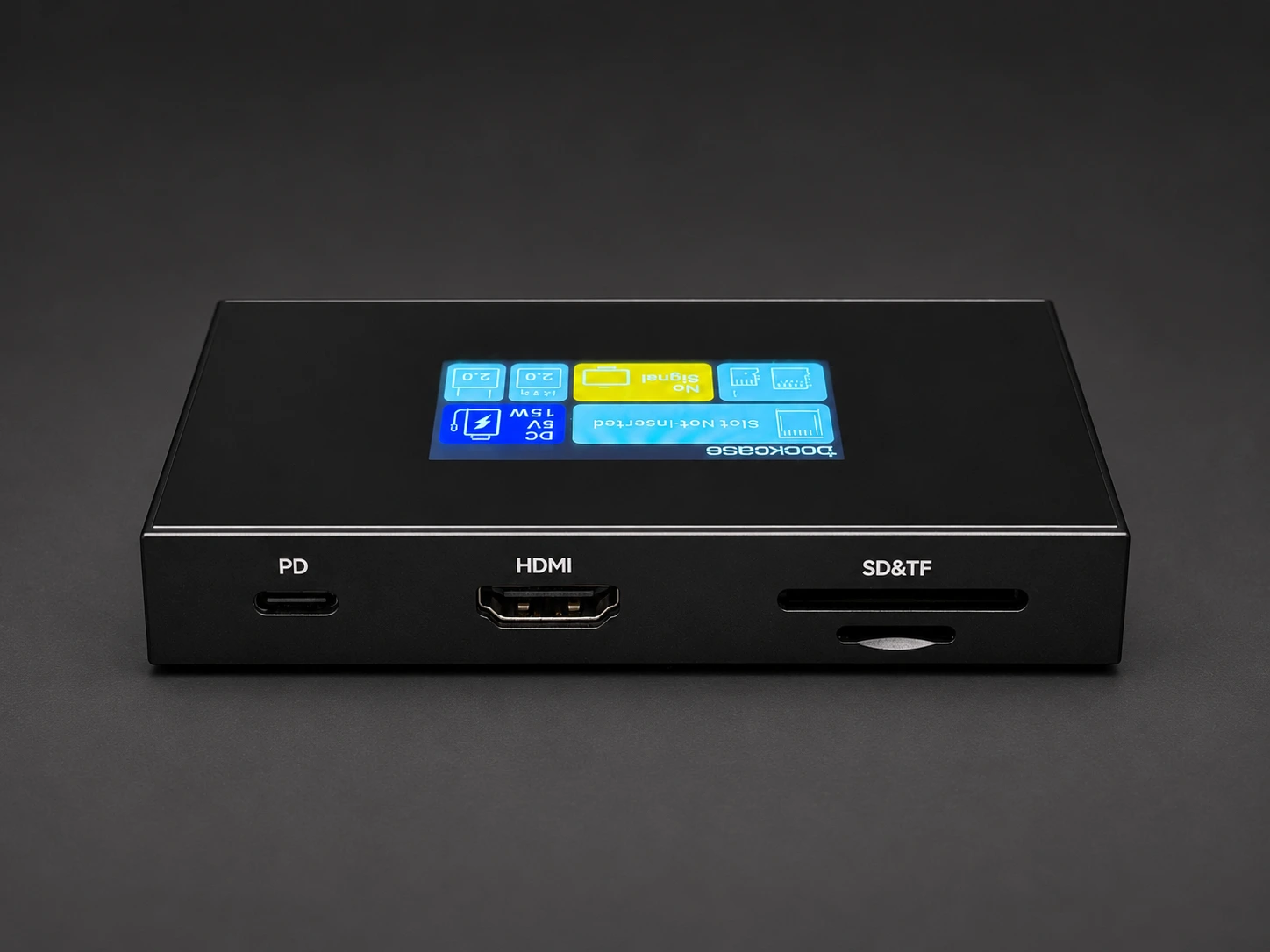
HOST, USB-C and PD: The ports have different functions.
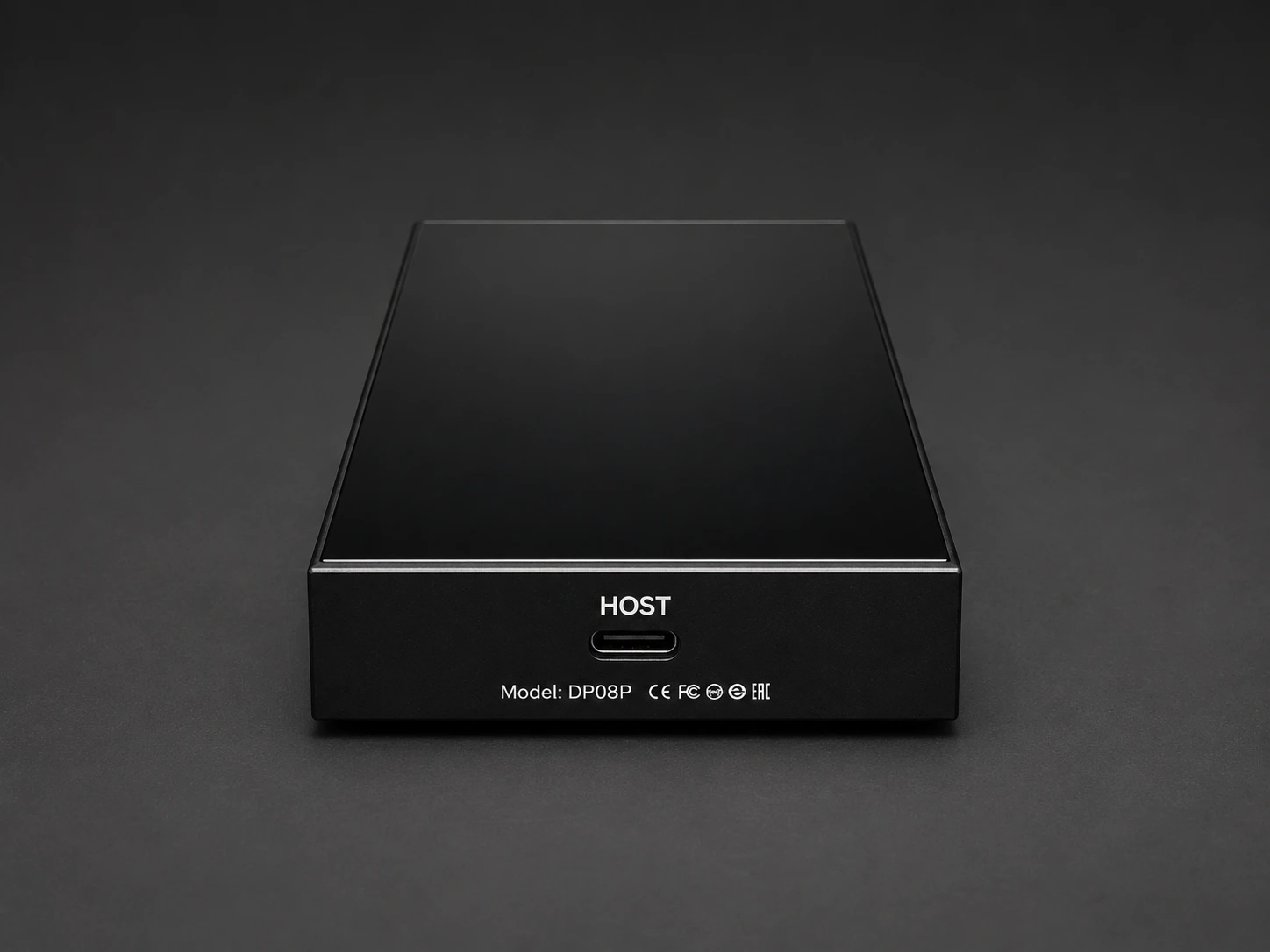
The USB-C port labeled "HOST" connects the hub to the computer. The USB-A and USB-C data ports are for peripherals like my external SSD. The port labeled "PD," on the other hand, is for external power. This distinction is important when connecting devices.
HDMI also offers a display connection. The actual resolution and refresh rate achievable depend on the computer, cable, and monitor. My enthusiasm in this report stems from the compact design, versatile connections, and my data transfers; I am not documenting a separate HDMI monitor test here.
The display shows the connection status
The color display immediately catches the eye. My pictures show, among other things, the power supply, card status, USB connections, and HDMI signal status. For me, this is a practical addition to a standard hub, where I get hardly any information directly on the device itself.
The "DC 5V 15W" indication on the product images describes the power supply status shown. It is not the same as the maximum PD power output. Similarly, "2.0" indicates the connection status in this situation and does not mean that the data ports are limited to USB 2.0.
My test setup: external SSD and CFexpress card
For my speed measurement in the Blackmagic Disk Speed Test, I used a SanDisk Professional Portable SSD with 4TB The values were used via the hub. Therefore, the measured values pertain to the external SSD connected to the dock case and not to the CFexpress card reader.
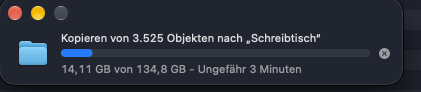
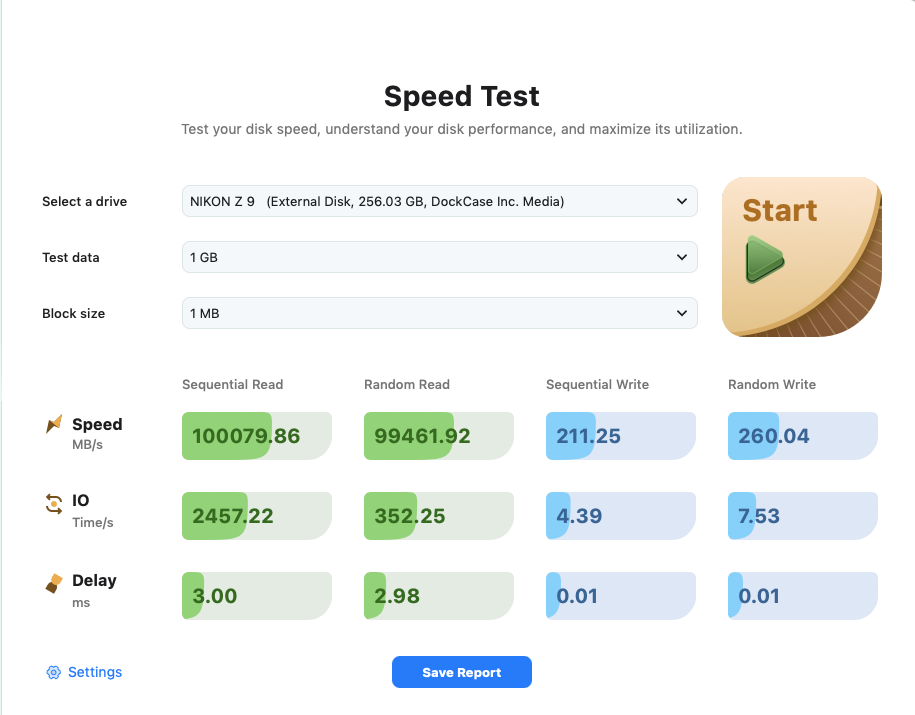
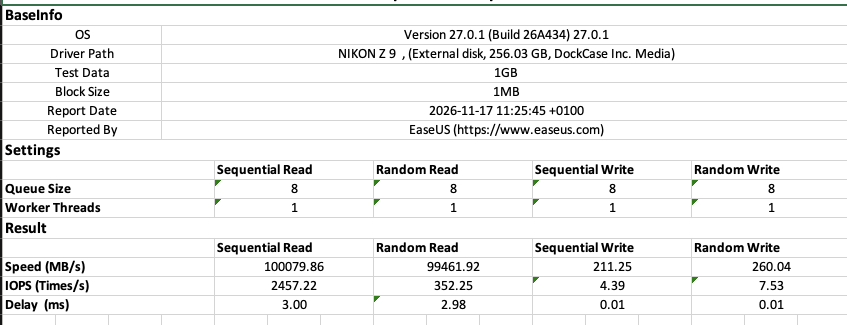
A map import was required. SanDisk Extreme PRO CFexpress Type B with 256GB for use. The Finder copy operation shown also originates from this card. The two white EaseUS screenshots are also from this CFexpress card, which I additionally tested with this other tool. There it appears as "NIKON Z 9" with 256 GB and the device entry "DockCase Inc. Media".
Blackmagic: 818.7 MB/s write and 719.0 MB/s read
My screenshot of the Blackmagic Disk Speed Test shows 818.7 MB/s write speed and 719.0 MB/s read speed.This confirms my impression of the hub's very fast performance with the connected SanDisk SSD. Large photo and video files can be moved quickly.
The measurement takes into account the entire combination of computer connection, cable, hub, and SSD. The screenshot is a snapshot of this setup and not a guaranteed value for every drive or connection. Based on my test results, I find the performance extremely impressive.
CFexpress in Finder: 134.8 GB in approximately three minutes
The Finder screenshot shows the copying of 3,525 objects with a total of 134.8 GB to the desktop. I took the screenshot immediately after the copying process started. At this early stage, Finder already showed 14.11 GB transferred and approximately three minutes remaining.
The entire copying process took approximately three minutes, according to my observations. This confirms my impression that even large amounts of images can be transferred very quickly from the CFexpress card. While the Finder window displays a running time estimate, the total duration is based on my practical observation of the copying process.
CFexpress with EaseUS: The unusual read values need to be interpreted.
For the SanDisk Extreme PRO CFexpress Type B with 256 GB, I also used EaseUS. The two white screenshots show this card test, not the external SSD. With 1 GB of test data and a 1 MB block size, approximately... 100,080 MB/s sequential read. Such a read rate cannot represent the actual data transfer through a 10 Gbit/s USB hub: The calculated gross limit of this connection is already 1,250 MB/s, even before protocol overhead.
The read speeds therefore do not provide a reliable indication of the Dockcase's physical transfer speed. Cache effects or the measurement method itself could play a role; I have not determined the exact cause. The sequential write speed of 211.25 MB/s displayed alongside the results also makes this test not directly comparable to the Blackmagic measurement of the external SSD.
I'm showing the EaseUS results to fully contextualize my test images. I'm not using any record read rates from them for my evaluation. What's crucial for me are the verifiable Blackmagic measurement with the SSD and my positive impression from practical copying from the card.
My criticism: Fingerprints are immediately visible.
The glossy black surface looks exceptionally elegant. However, in practice, it has one clear disadvantage: fingerprints are immediately visible. Even just touching it leaves marks on the surface.
This doesn't affect the speed or the range of connections. Nevertheless, it's the point I would criticize in everyday use. Especially with a small accessory that I regularly plug in, turn over, and pack away, a more durable surface would be more practical for me.
MY VERDICT
Small, fast, and extremely practical for my photography.
I tested the Dockcase Studio and I'm very impressed. It's nice and compact, offers plenty of connectivity options, and its speed is fantastic. The combination of multiple card formats and USB ports makes it a particularly useful accessory for me.
With my external SanDisk SSD, I achieved 818.7 MB/s write and 719.0 MB/s read speeds in the Blackmagic test. I also appreciate the fast copying process from my CFexpress card. The display adds to its versatility by providing a direct view of the connection status.
My main criticism remains the surface, on which fingerprints are immediately noticeable. I can live with that. Overall, the Dockcase Studio is a convincing, compact companion for my photo workflow.