WILD WATCHING · GARDEPRO
GardePro E8 2.0 Pro in practical use
Wildlife camera on the tree, control via smartphone and an optional solar panel
A wildlife camera adds an exciting perspective to animal photography: it stays at the location when I'm not there myself. I'm particularly interested in what happens in the picture - and how well the camera can be set up and operated in the field. Here I show my GardePro on the tree, a look at the operation and the fox motif.
The concept
Automatically record wild animals and observe a location over a longer period of time.
On-site inspection
The E8 2.0 Pro connects directly to the smartphone via Bluetooth and WiFi.
Solar as an accessory
GardePro offers the SP350 for the E8 2.0 Pro.
My pictures
Camera on the tree, opened housing and a fox motif from the material provided.
The camera at a glance
| Tested model | GardePro E8 2.0 Pro Wi-Fi |
|---|---|
| Recording functions | 4K video with sound, 940nm infrared; Manufacturer information |
| Trigger/housing | 0.1 seconds / IP66 according to the manufacturer, not measured by myself |
| connection | Local app connection, no cellular camera |
| Solar accessories | SP350, sold separately |
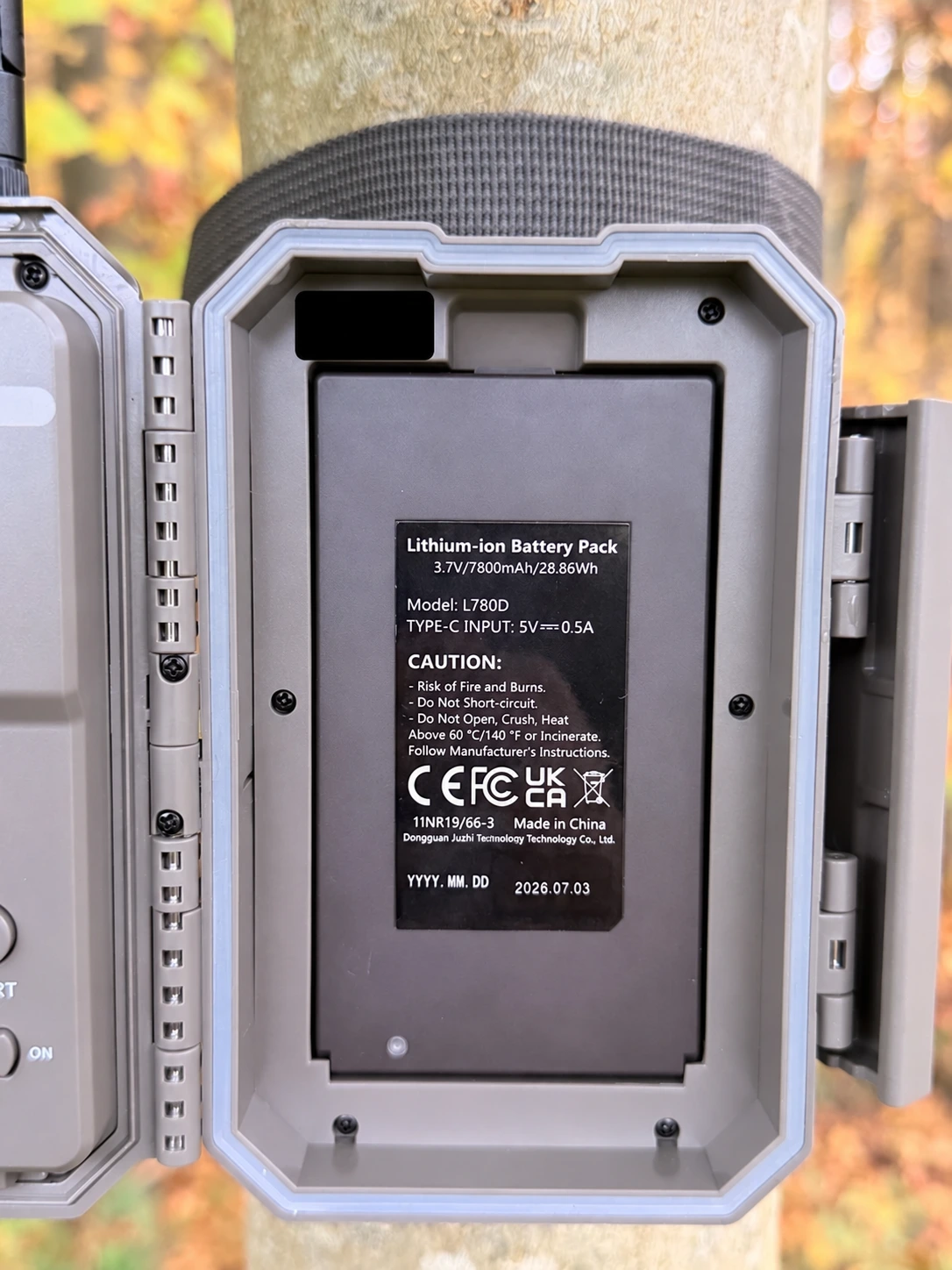
| Battery shown | L780D, 3.7 V / 7,800 mAh / 28.86 Wh according to the label |
Model confirmed: E8 2.0 Pro. Technical performance information comes from the manufacturer; Battery values from the print on the photographed battery pack.
Framing comes first when mounting the camera
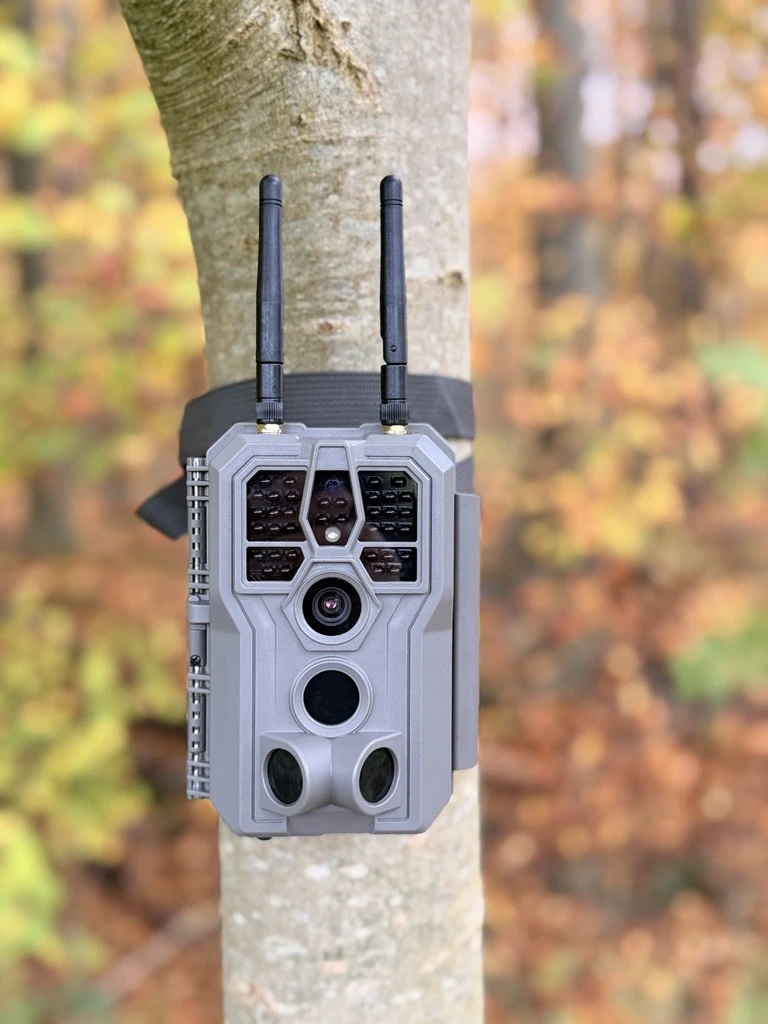
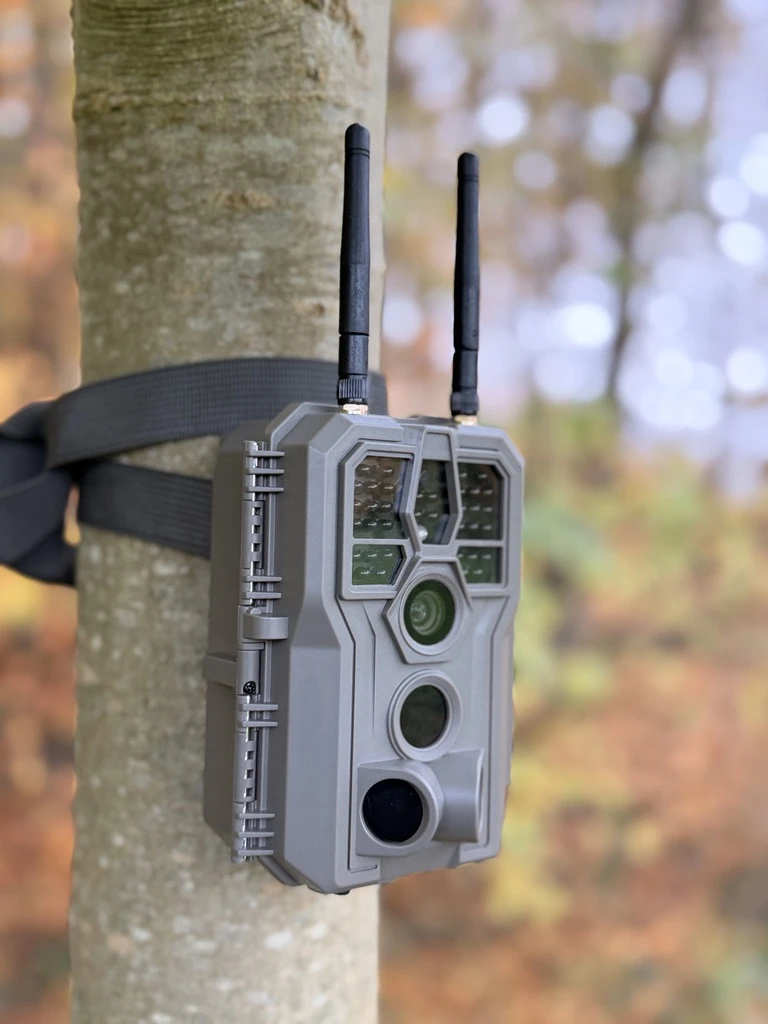
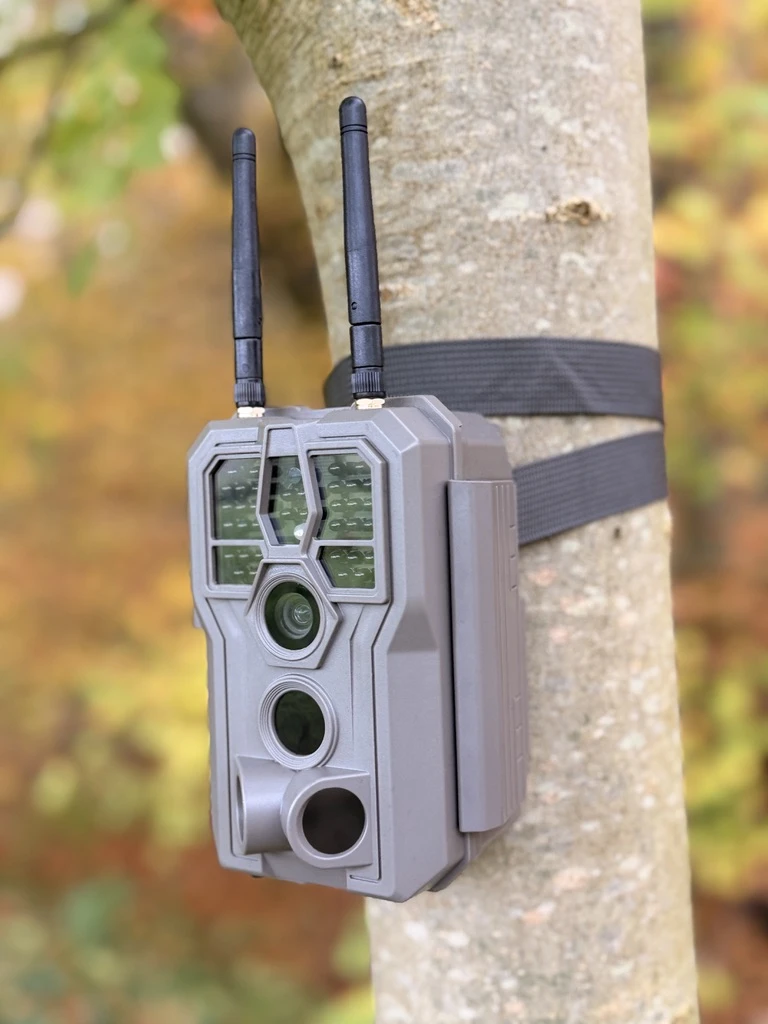
In my photos you can see the camera with its wide strap directly on the trunk. The two antennas are pointing upwards; The lens and sensor window remain free. For me, the deciding factor when choosing a location is what is in front of the camera. A suitable trunk alone does not guarantee a useful view of an animal trail or meadow.
I see a wildlife camera as a supplement to my actual photography equipment: the overview of a location is more important than composing the image with a long telephoto lens. Accordingly, I also assess the images based on whether the animal and surroundings are recognizable and whether the detail fits the observation task.
WiFi is not a transmission to home
The linked E8 2.0 Pro establishes a direct connection to the smartphone for the app. It does not connect to your home WiFi router and does not require a cellular data plan. According to the manufacturer, the advertised range of up to 50 meters applies to open, undeveloped terrain.
In practice this means: You still have to be close to the camera to check. If you want to receive current images of a distant forest location from your sofa, you need a different transmission concept. Especially when choosing a wildlife camera, this difference is more important than two conspicuous antennas.
Equipment and connection: GardePro E8 2.0 Pro.
Operation and battery in the opened housing
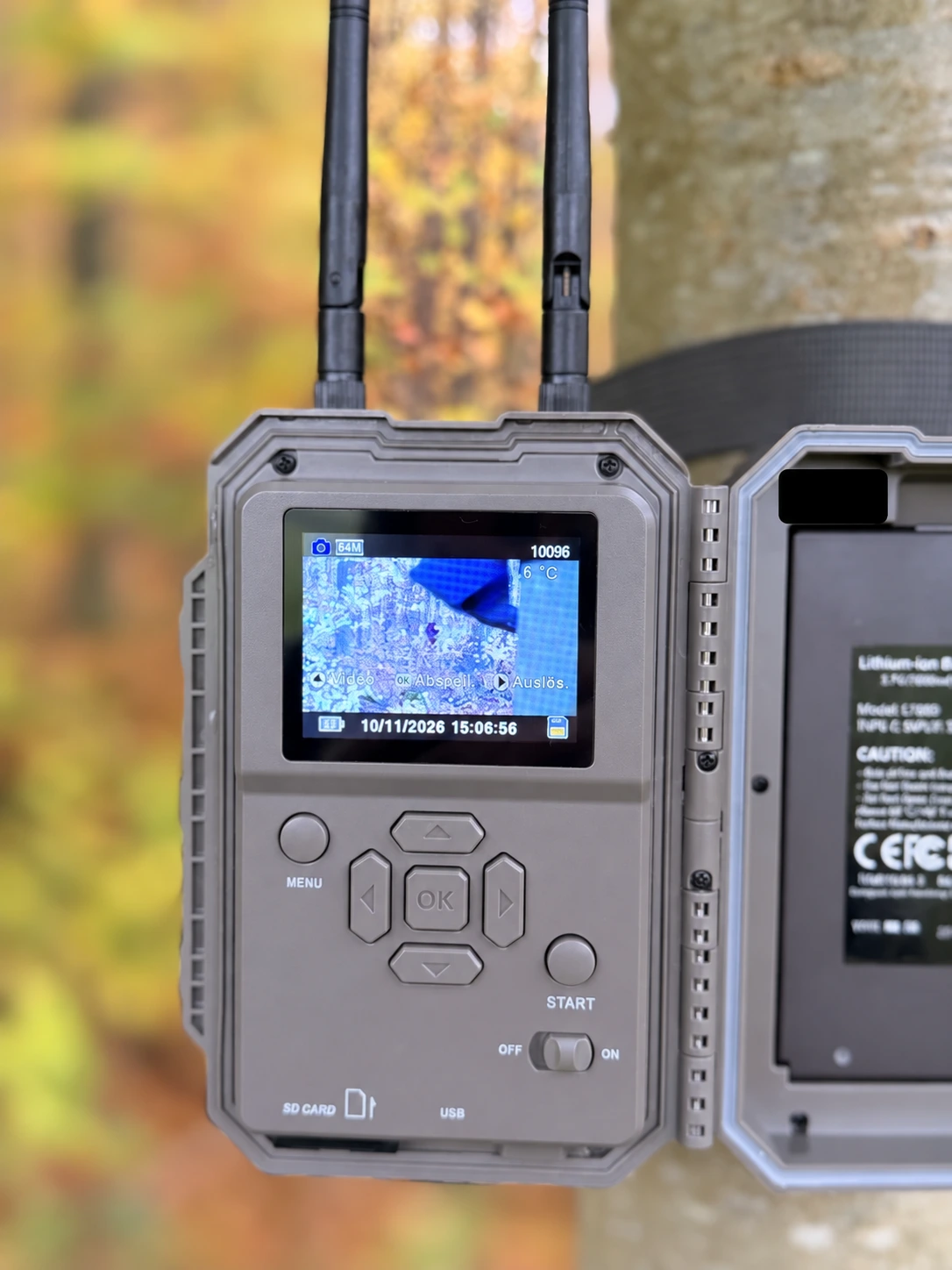
When the housing is open, the screen, direction buttons, menu button, start button and on/off switch are accessible. The display helps to check the image section directly at the location. You can also see the labels for SD card and USB in my photo.
The lithium battery pack photographed is called L780D. A reliable running time cannot be derived from its capacity alone: number of recordings, video length, temperature and connection usage play a role. I will add measured battery life and comparisons over several weeks once I have recorded the relevant observations.
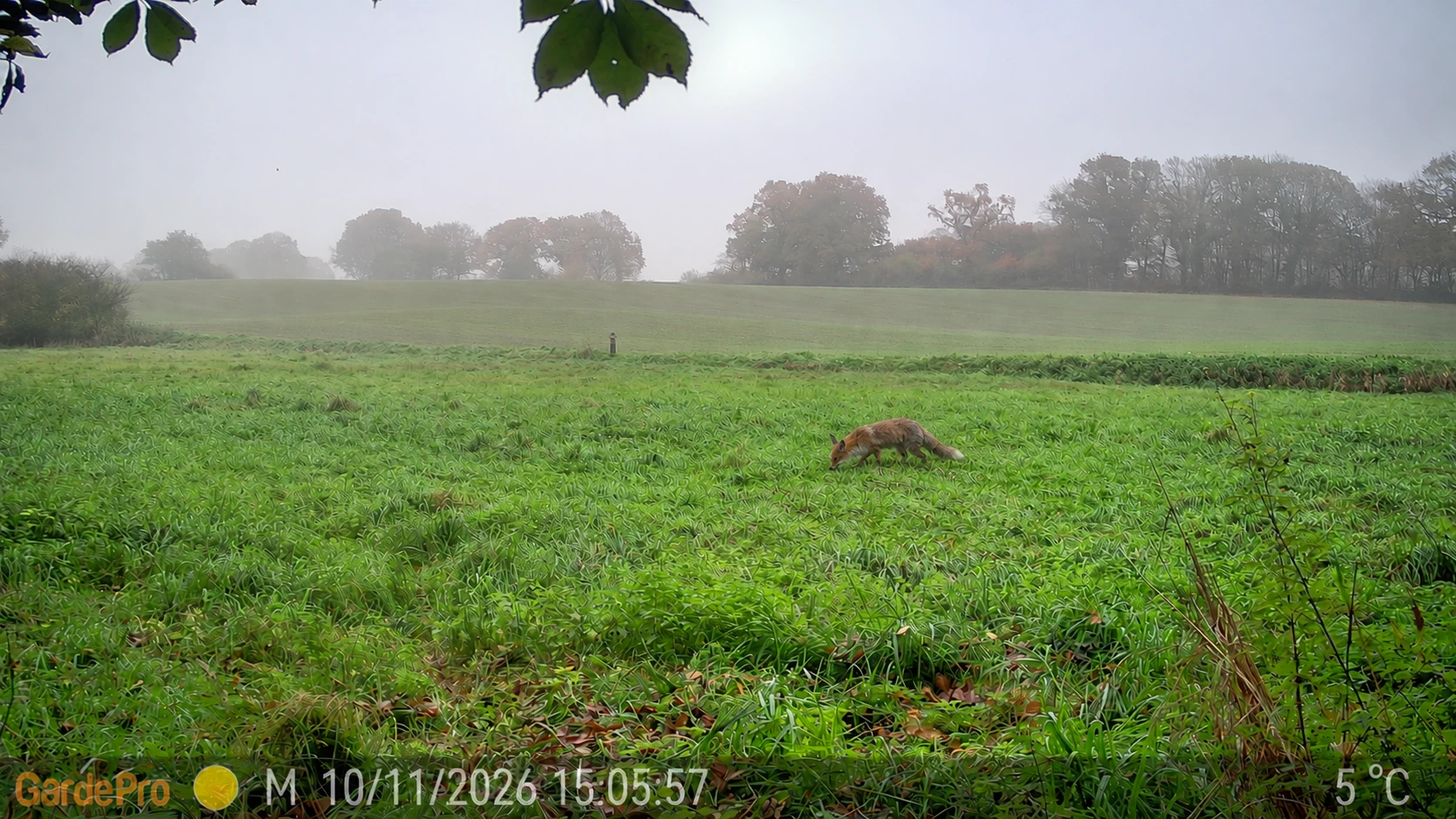
A fox in the picture
The fox motif provided shows an animal in a wide meadow. The fox is to be seen in the context of its surroundings; the display contains the date, time and temperature. Such information can help to assign recordings to a specific time and to find them again during later viewing.
However, a single image does not replace a comparison of day and night shots or fast-moving animals. To do this, the original files would have to be viewed side by side under comprehensible conditions.
Videos from my field test
Three more recordings show the GardePro in the forest: two colour daytime clips and one infrared night recording. Each clip can be played individually and viewed full screen.
Optional: the SP350 solar panel
GardePro offers the SP350 as a compatible accessory for the E8 2.0 Pro. It has its own energy storage with 5,200 mAh at 3.7 V. The approximately 3.9 meter long cable allows the camera and panel to be positioned separately. The selectable output voltage must match the specific camera.
This is an interesting approach for locations where the appropriate image section is in the shade and there is more sun a little further away. However, a panel does not mean a guaranteed unlimited runtime: under a dense canopy of leaves or in little winter sun, the available energy remains limited. I am not yet describing my own solar panel endurance test here.
Details and Compatibility: GardePro SP350. Battery variant for comparison: E8 2.0 Pro.
The app: View images, change settings, check status
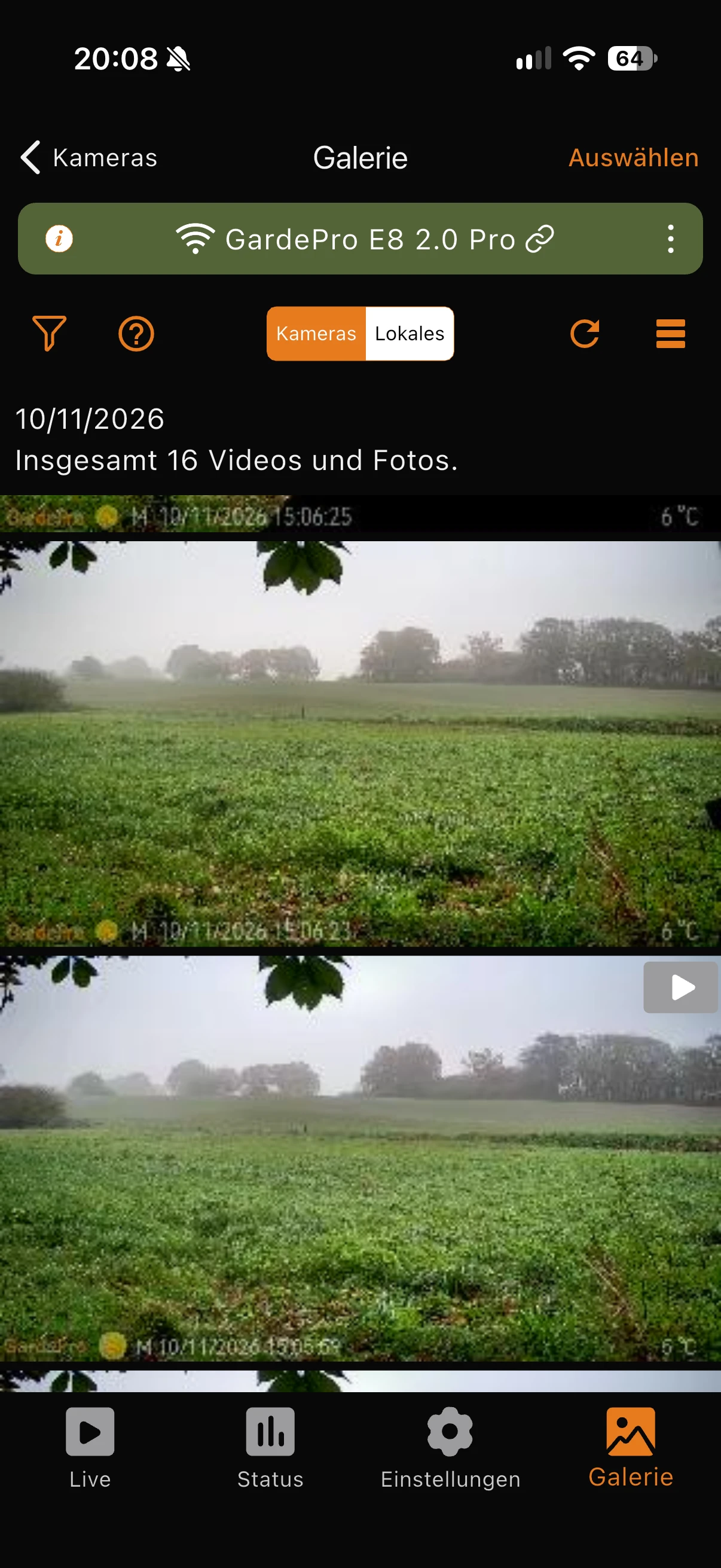
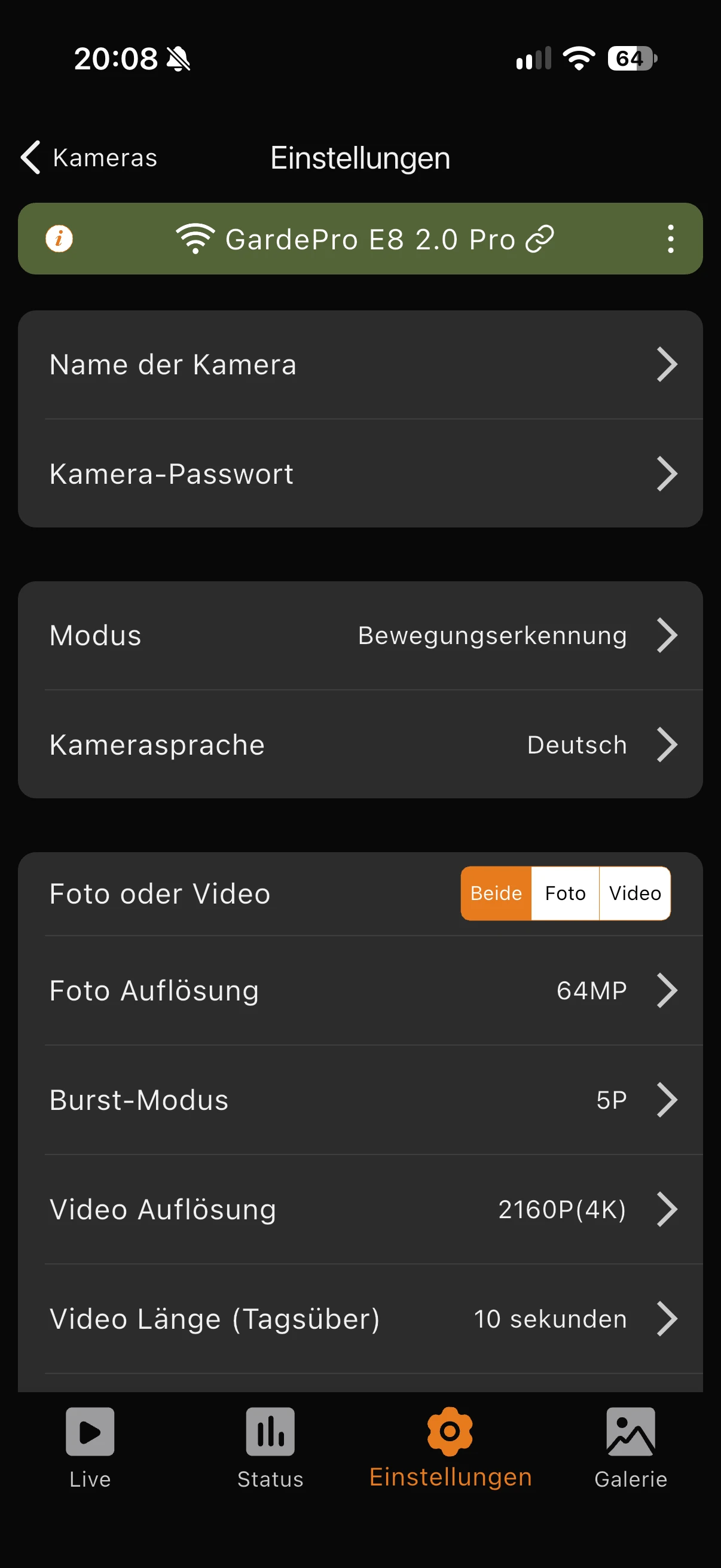
The app complements the operation directly on the camera with a larger screen on the smartphone. My screenshots show the Live, Status, Settings and Gallery sections. The local connection to the camera remains the same: the app does not turn the E8 2.0 Pro into a cellular trail camera with remote access from home.
Gallery for photos and videos
In the gallery I see preview images of the recordings, grouped by date. Videos are marked with a play icon. The app differentiates between “cameras” and “local”; selection, filters and updating the view are also available. This helps you view the material directly on your smartphone instead of just relying on the small camera display.
Recording settings on the smartphone
The settings include the camera name, camera password, mode and language. Photo, video or both can be selected; There are also settings for photo resolution, burst mode, video resolution and video length. My screenshot shows "Both", 64 MP, "5P", 2160P (4K) and ten seconds of video length during the day. The 64MP shown is a chosen output setting and not evidence of the native sensor resolution.
Battery and storage at a glance
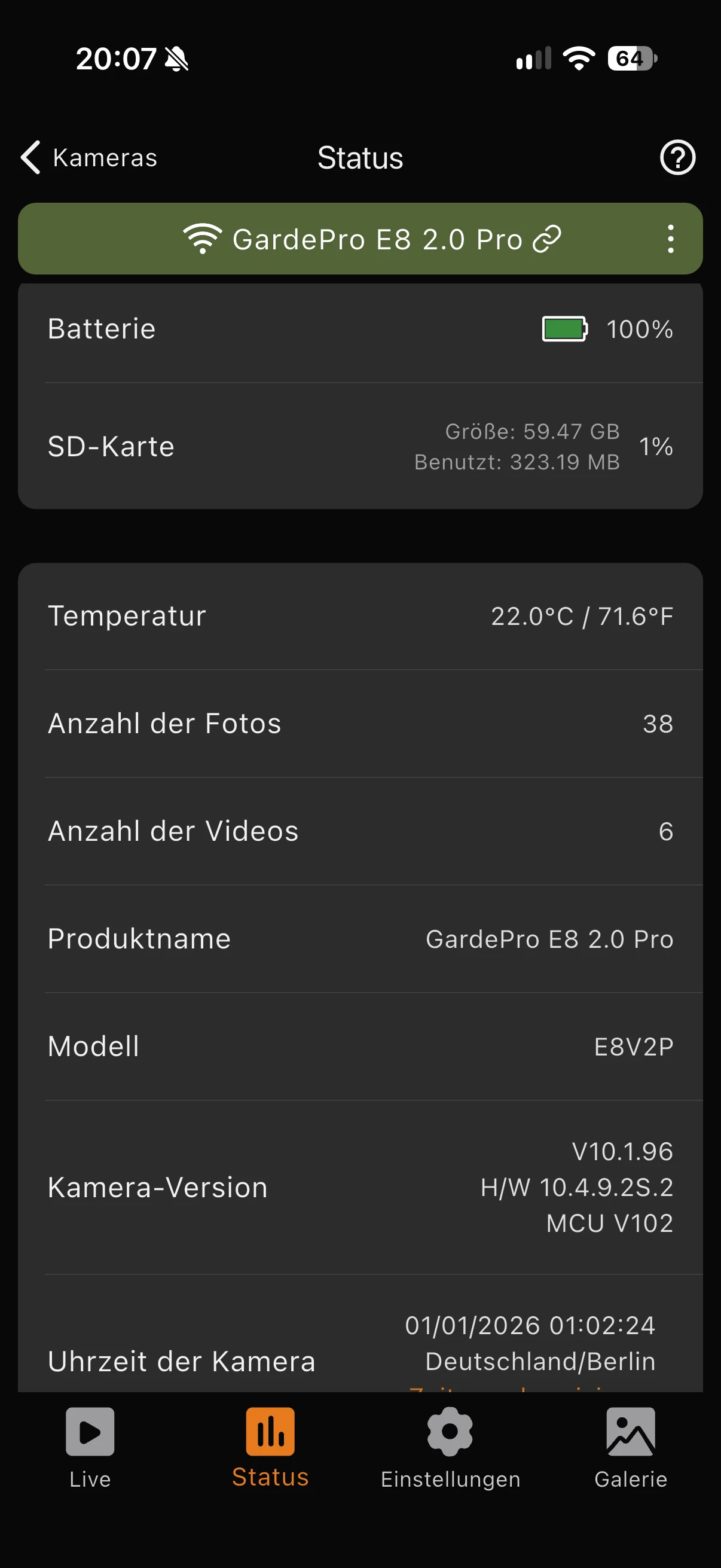
The status page shows me the camera battery, capacity and occupancy of the SD card, the temperature and the number of photos and videos. The model, camera version and camera time are also listed there. This summarizes the most important information for an inspection at the location. The 100 percent on my screenshot refers to the camera battery at this point; they are not a battery-life measurement.
What I miss: an attachment point for a lock
Despite my enthusiasm, I have one point of criticism: I don't have a suitable attachment point on my camera to secure the housing with a lock. Especially when it is hanging on the tree unattended, I would like this option as an additional hurdle against unauthorized opening.
The camera password in the app does not replace a physical lock for me. A lock attachment point would not offer complete theft protection, but would be a useful addition for me.
MY FIRST IMPRESSION
An exciting addition to animal photography
For me, the appeal of a wildlife camera lies in being able to observe a location outside of my own presence. The camera on the tree, on-site monitoring and the possibility of additional solar supply form a coherent concept.
I have tested the GardePro E8 2.0 Pro myself and am very pleased with it. I am particularly impressed by the image quality and battery performance. It is a great addition to my wildlife observation equipment, and I really enjoy using it. Further information is available from Manufacturer GardePro.