TESTS & EXPERIENCES
UnifyDrive UT2 review: This is how I imagined mobile photo backup should be.
After my disappointment with the desktop PC: a self-purchase that I'm thrilled about.
I want to easily back up my photos while traveling and then copy them just as easily. After my disappointment with the StationPC, I bought the UnifyDrive UT2 myself. And this time I'm extremely impressed: For me, the device is cheaper, much more thoughtfully designed, and with its mobile app and Mac software, it's much closer to what I want for my photography.
Purchased myself
I bought the UT2 out of my own pocket after my experience with the StationPC.
My highlight
Back up the memory card to the UT2 and then copy the backup to an external USB hard drive.
Compelling software
I really like the smartphone app and the interface on the Mac.
My wishes
A setup without an online account and more freedom in choosing your own cloud destinations.
Why I made another attempt after the StationPC
A mobile backup device is useful to me if it saves me time and effort. After a day of photography, I want to be able to back up the memory card, access the files, and later transfer them to another storage device. This is exactly the process that impressed me with my [device/product]. StationPC PA100 Pro disappoints.
However, I didn't want to abandon the basic idea. I bought the UnifyDrive UT2 myself and am extremely happy with this decision. In everyday use, it feels much more sophisticated. This applies to the interaction between the device, the smartphone app, and the software on the Mac, as well as the options for reusing my backups.
The UT2 was also the more attractive option for me in terms of price. In the configuration I purchased, it's cheaper than the StationPC and offers me better practical use. This is my personal assessment of my purchases; SSD configuration, accessories, and current offers must be considered when comparing prices.
What the UT2 offers photographers
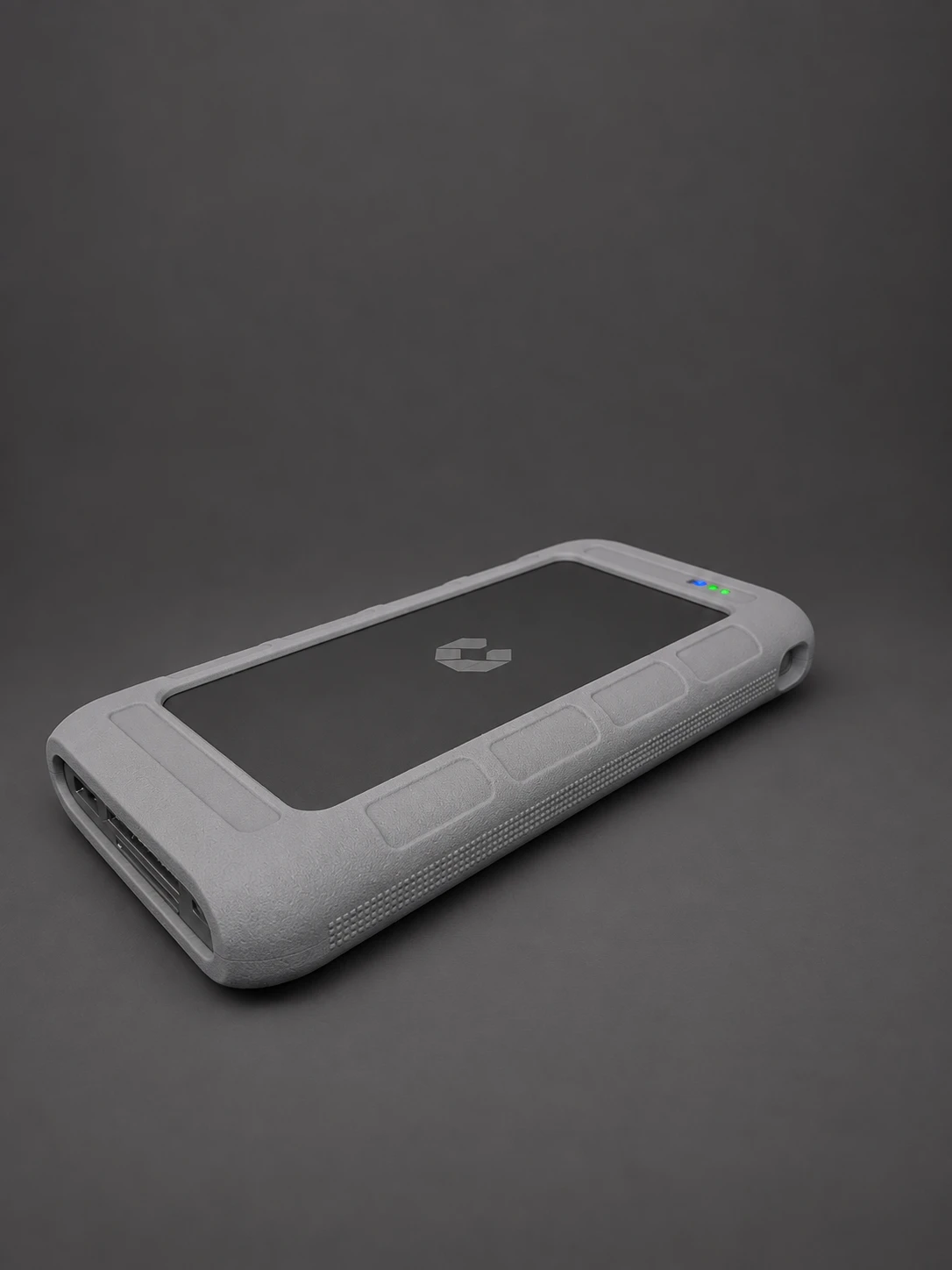
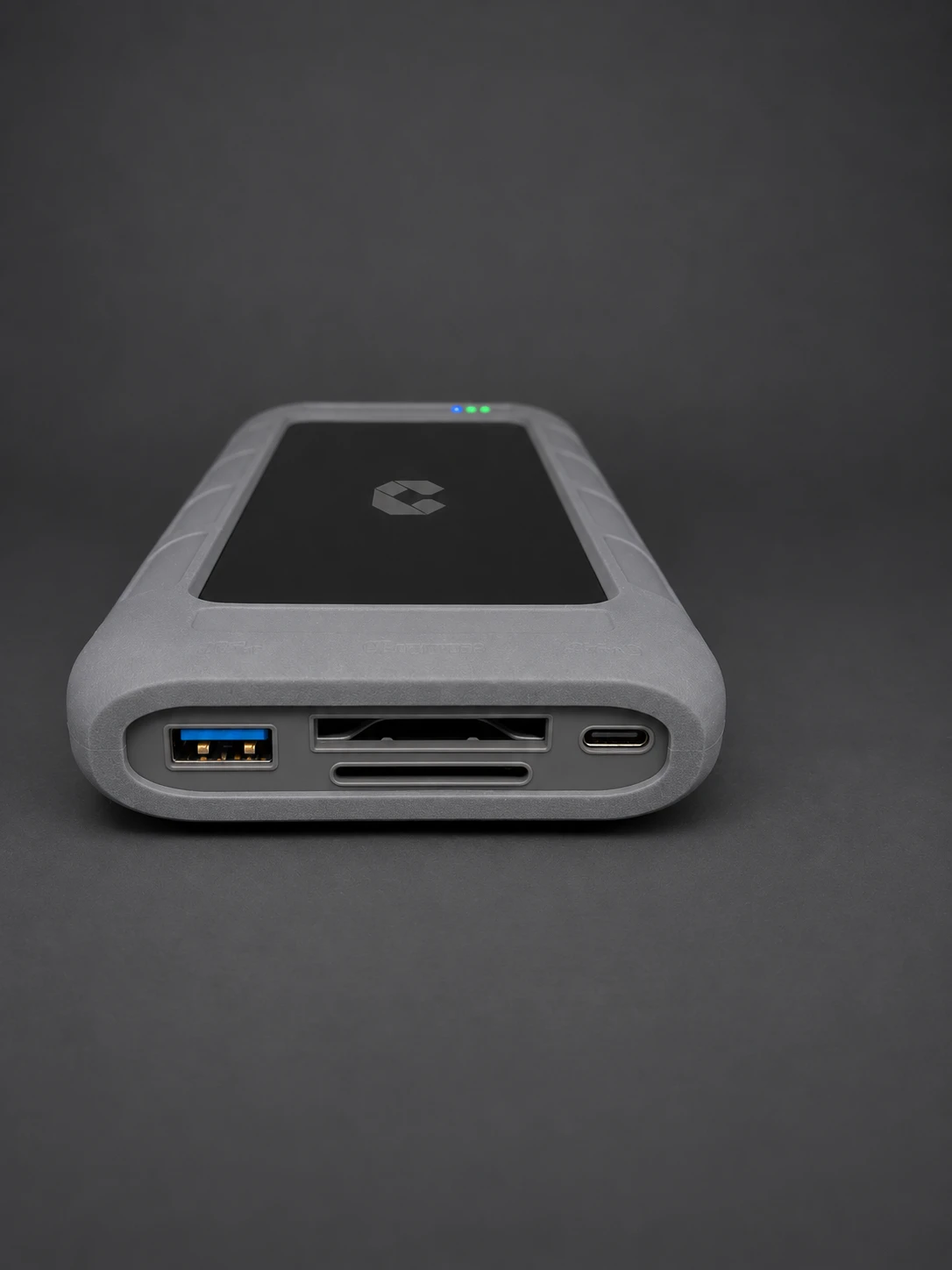
The UT2 is a portable NAS with two M.2 NVMe SSD slots. According to Manufacturer It supports up to 16 TB of total capacity, Wi-Fi 6, a 2.5 Gigabit network port, and HDMI. For me, the card readers and the ability to access the drive from different devices are particularly interesting.
SD cards and CFexpress Type B cards can be backed up directly on the device. For microSD and CFexpress Type A cards, suitable adapters are required. The one-button backup described by the manufacturer works without a laptop or internet connection. This makes the concept ideal for photo days when I want to back up my images while I'm out and about.
The many additional features are welcome. However, what's crucial for me is the seamless connection between the memory card, internal storage, and a backup. This is precisely where the UT2 impresses me.
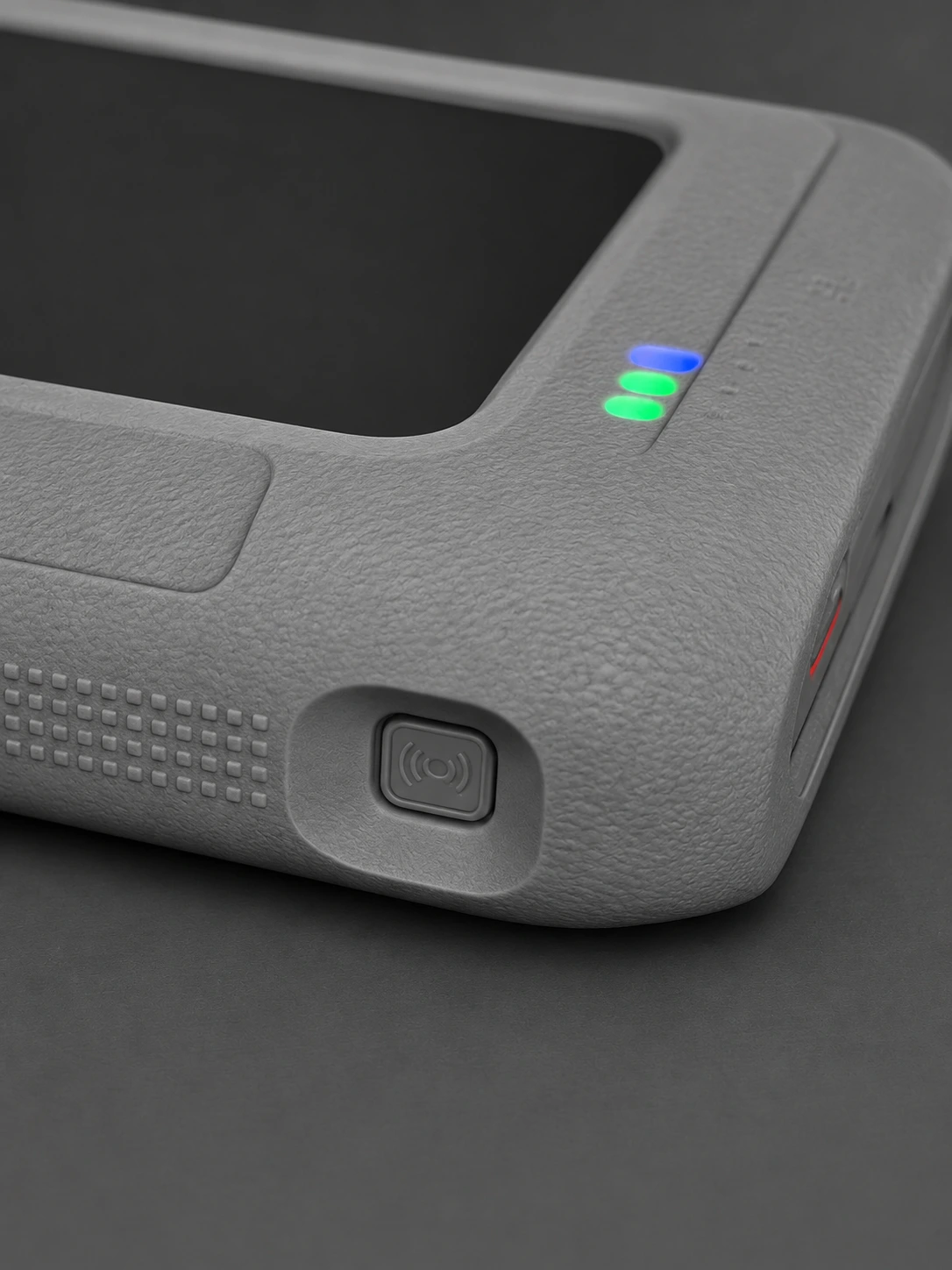
Two side buttons: backup and direct Wi-Fi access
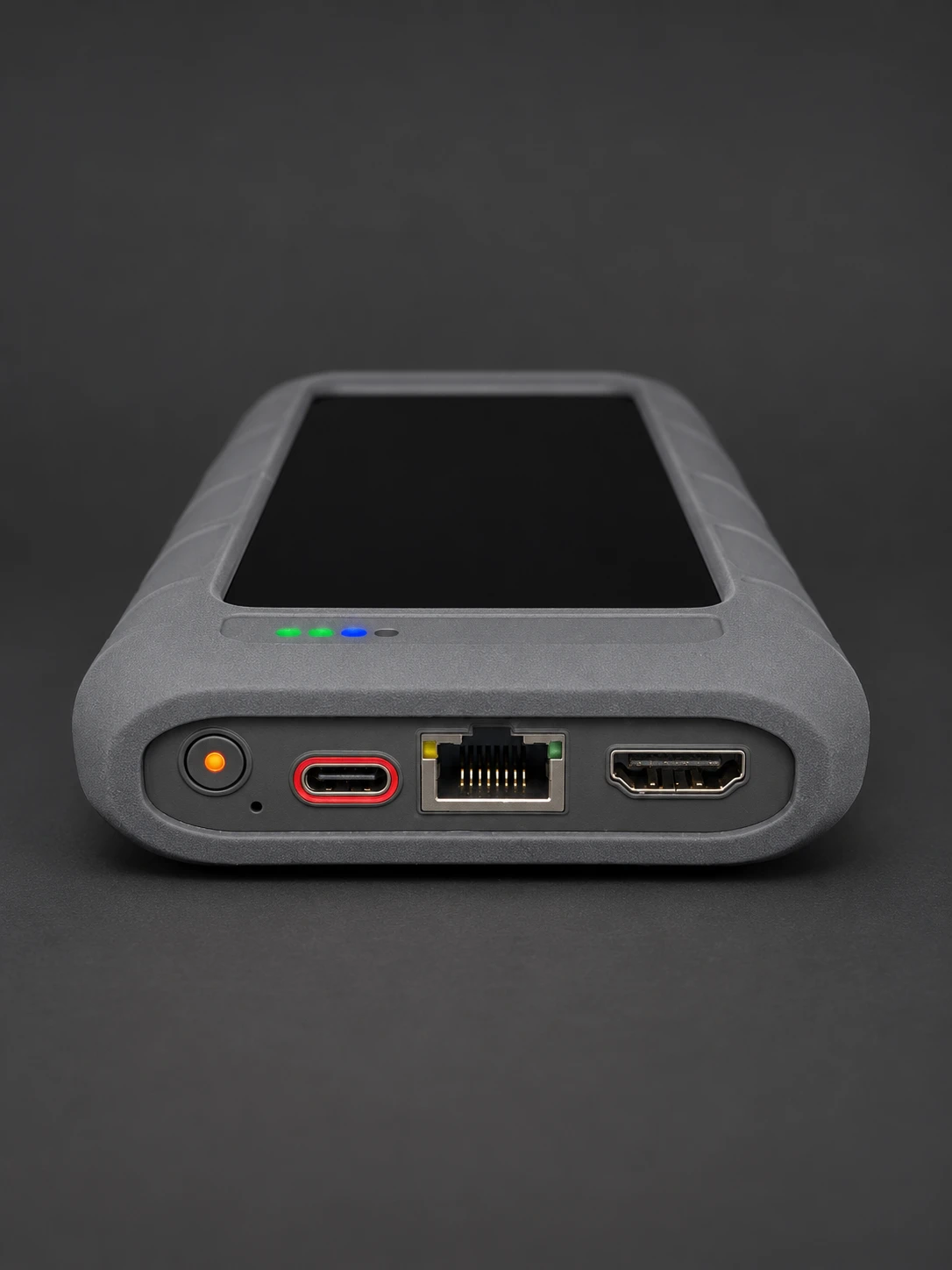
Different buttons are located on the two long sides. The symbols help to distinguish them: two overlapping rectangles for copying and a radio symbol for the Wi-Fi function.
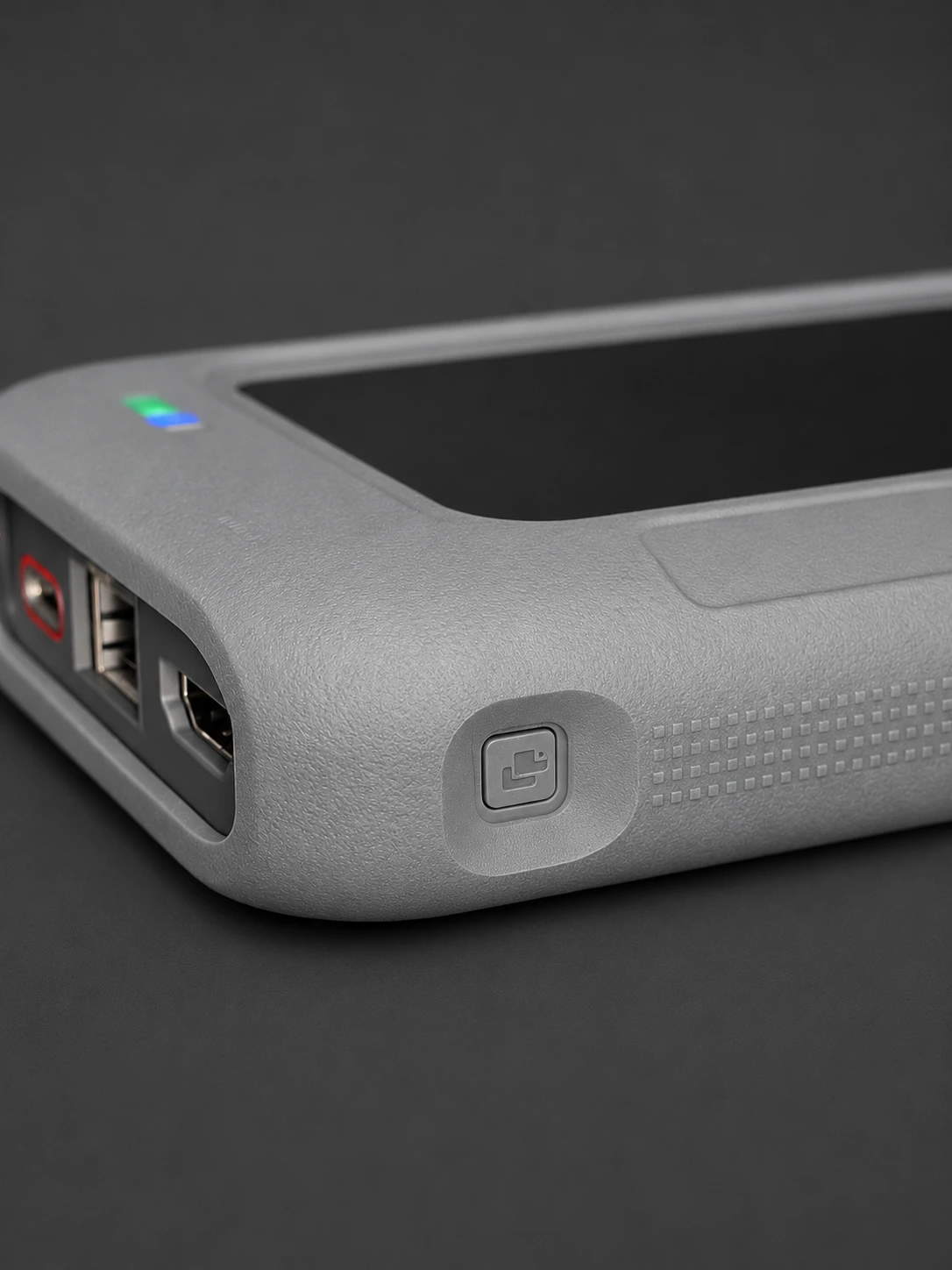
The copy button: Backing up a memory card without a laptop
The button with the two rectangles is the backup button. According to Manufacturer's instructions First, activate "Plug & Backup" in the app. Then insert the memory card and press the backup button twice to start the backup. The destination can be preset in the app.
This allows me to initiate the actual map backup process directly on the device. The additional copy from the UT2 to an external USB hard drive, which I describe below, is a separate step.
The WLAN button: a direct connection to the UT2
The button with the radio symbol is for the WLAN/AP function. In AP mode, the UT2 provides its own WLAN. A mobile phone can connect directly to this network to access the device locally – an existing router or internet connection is not required. This offline access is also described by the Manufacturer FAQ.
This is a useful addition for when you're on the go: The copy button starts the map backup, while the direct Wi-Fi connection allows access from your mobile phone. Local Wi-Fi access should not be confused with remote access via the internet.
My highlight: backing up the data again to a USB hard drive.
I particularly like this feature: After backing up an SD or CFexpress card to the UT2, I can connect an external USB hard drive and copy the existing backup to it. This gives me an additional copy on a separate storage device.
In my workflow, I can also use an external USB-C hard drive for this. So I'm not limited to keeping the images only on the UT2 or having to transfer them via my Mac first. This is a huge practical advantage for me and a major reason for my enthusiasm.
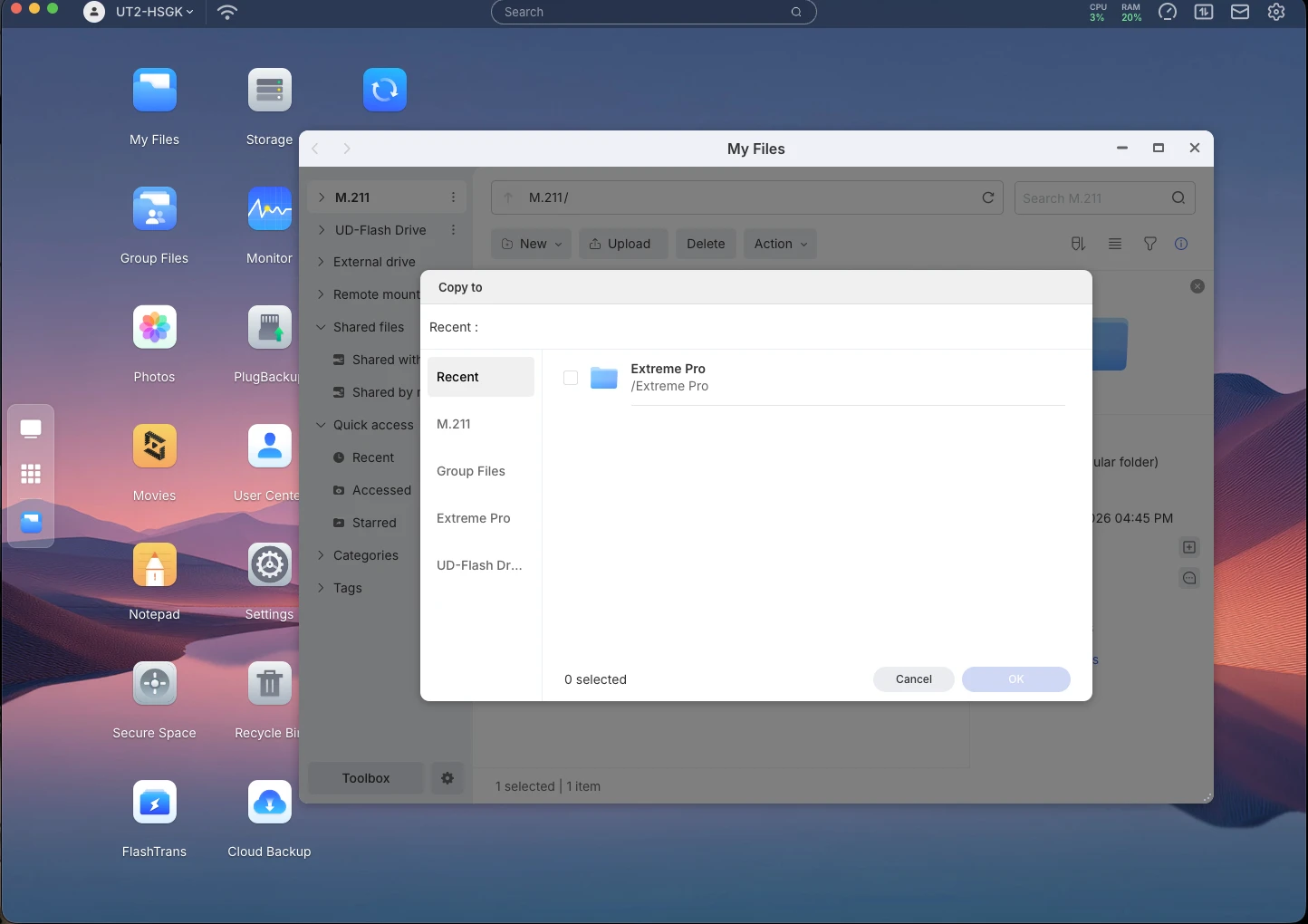
In the copy dialog shown, the connected "Extreme Pro" can be selected as the destination. The second backup is a separate copy process from the UT2 to the external storage device; I'm not referring to an automatically created duplicate copy during card import.
For added security, I keep separate storage devices separate whenever possible. After all, two copies in the same bag are useless if the entire bag is lost.
The software on the Mac: For me, a coherent overall package
I don't just like the hardware of the UT2. The software on the Mac also impresses me. The interface combines files, storage management, and backup functions and feels significantly more thoughtfully designed than what bothered me about the previous StationPC.
"My Files" is the central area for file management. Internal storage and external drives are accessible from the interface. This unified management is particularly practical when I want to create another copy after a map backup.
The screenshot shows my actual setup with an external drive connected. I'm deliberately not mentioning any transfer rates here: I didn't conduct a documented, identical speed test of both devices for this report. My enthusiasm relates to the usability, functions, and my practical workflow.
I also really like the smartphone app.
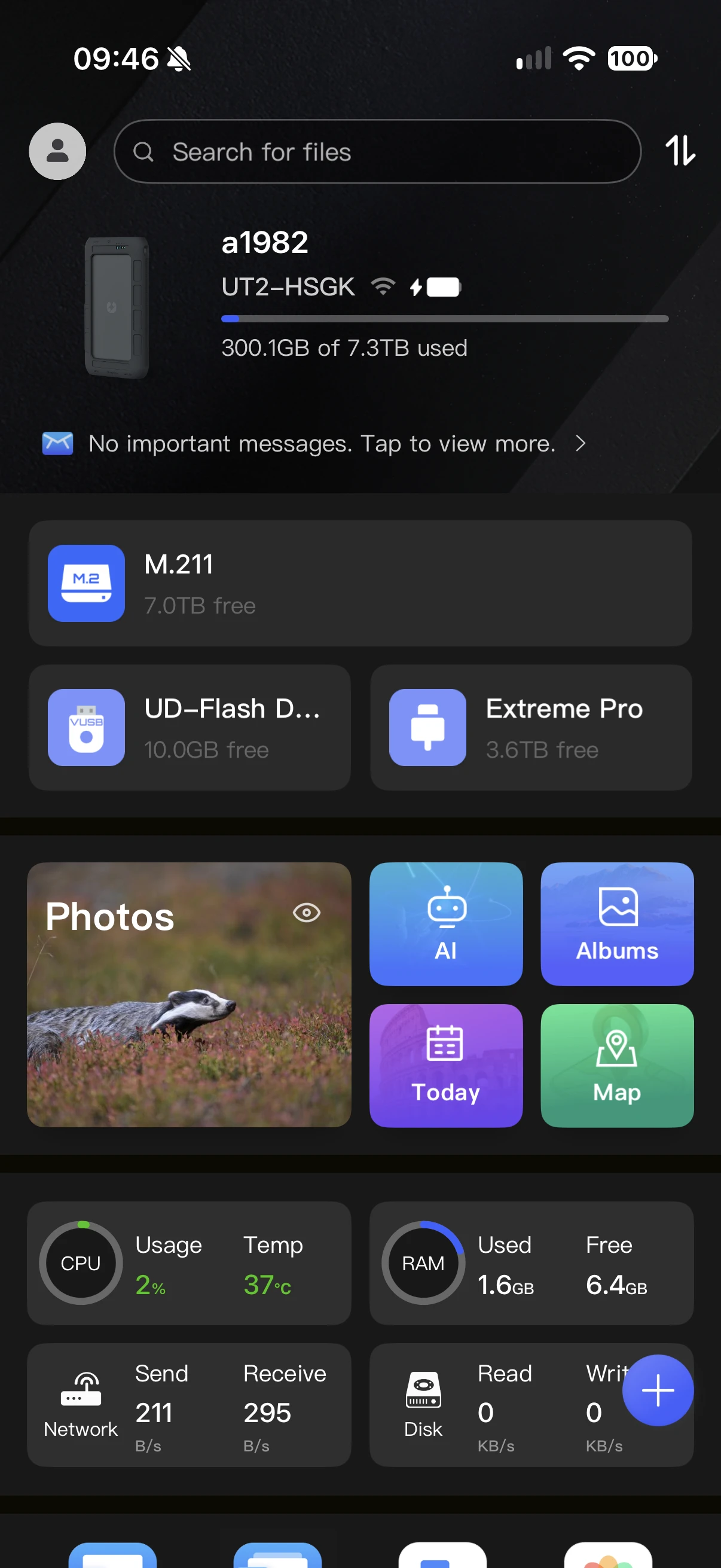
The app on my phone is another plus for me. I get an overview of storage and connected drives and have all the most important tools in one place. My screenshot shows both the internal storage and the external "Extreme Pro".
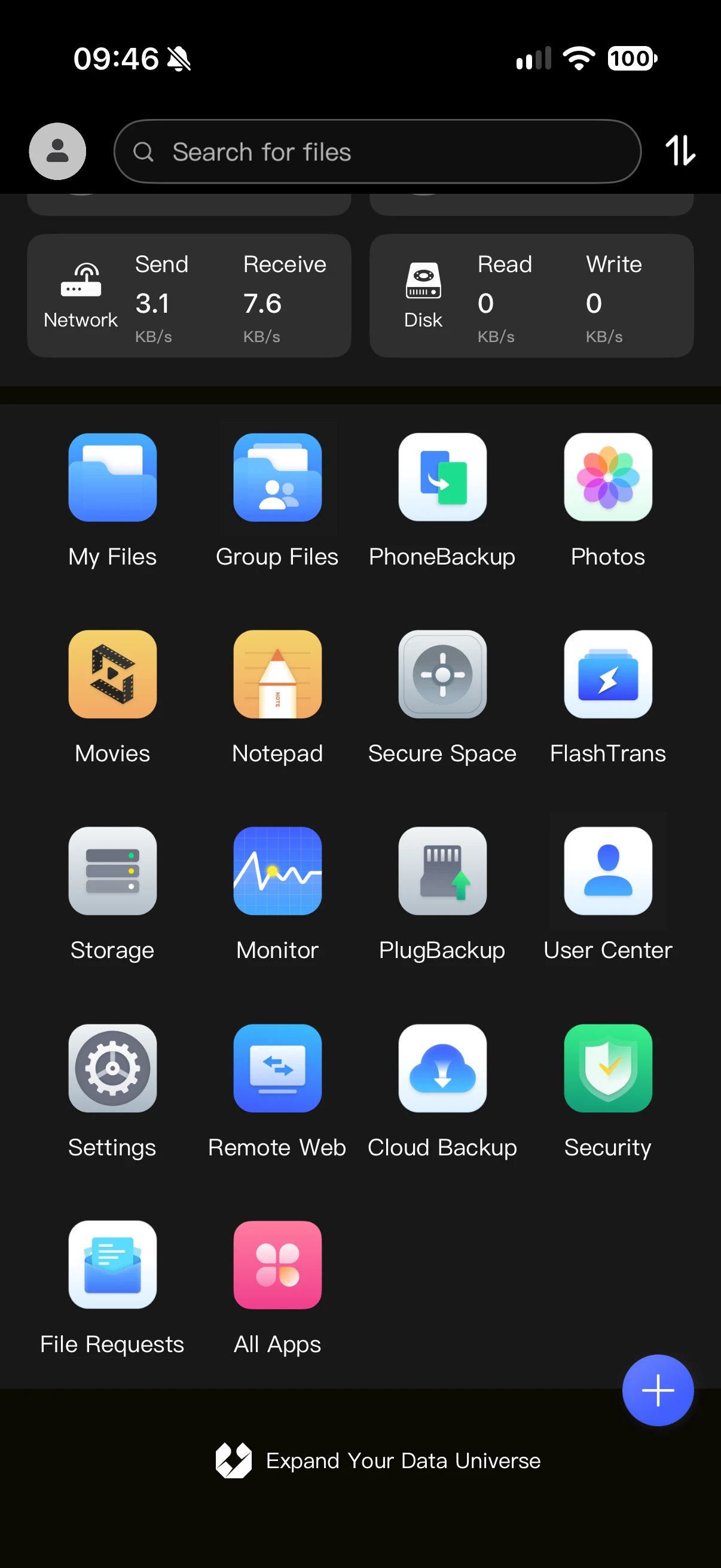
The function overview offers, among other things, "My Files", "Photos", "Storage", "Monitor", "PlugBackup", and "Cloud Backup". There's also a section for backing up phone content. So the app shows more than just a simple file list.
I especially like the interaction with the Mac interface: I can work with my files on both devices instead of having to find a completely different way for every step. The screenshots document the visible functions; They don't mean that I've already thoroughly tested every additional app.
What bothers me: the online account during setup
My biggest criticism concerns the registration process. During setup, I had to create an online account. I don't particularly like that for a device where I want to back up my own photos locally.
I'd like a clearly defined, simple setup with a purely local account. Those who want to use remote access or cloud features can then register separately. This freedom of choice is important to me for my local photo workflow.
This critique describes my registration process. It does not mean that internet access is required for every subsequent card backup: According to Manufacturer FAQ Map backup works offline; local access via the UT2's own WLAN access point is also provided.
Cloud backup: a good addition, but I want more freedom.
It's also possible to copy a backup from UT2 to a cloud. I think that's a good additional option. The manufacturer describes this as the "Cloud Backup" function., in which a source directory is selected for the backup.
When selecting destinations, I would like to see more providers. Even better would be the option to specify my own service – for example, my private cloud. I want to be able to decide for myself where my photos are additionally backed up.
This is my desired behavior for the cloud backup function I'm using here. General network shares or other file services are not automatically the same as a freely configurable cloud backup destination. Therefore, I won't describe a successful backup process to my private cloud here.
The battery life impresses me even when I'm out and about.
I'm also extremely satisfied with the battery. It performs superbly in my use case and contributes to the UT2 feeling like a perfect mobile backup system for me. That's exactly what I want when I'm on the go: to be able to back up my photos and to easily use the device.
I did not measure a specific runtime in hours for this report. My positive assessment reflects my practical experience with the battery so far.
Fast support: Responses within a few hours
I'm also very impressed with the support. I receive a response to my inquiries within a few hours. I find that extremely good – especially with a device I entrust with my photos, having a readily available contact person is invaluable.
My other wish: more system languages, including German.
I would like to see more system language options. A German user interface would be particularly welcome. For me, well-designed software should also allow users to operate its functions and settings as intuitively as possible in their own language.
A wider selection of languages would therefore be a sensible improvement for future updates and would further round off what is already a very good overall package in my opinion.
Why UT2 is the better choice for me
What disappointed me most about the StationPC was how cumbersome my workflow became and that my previously saved files were no longer accessible after a transfer attempt. The technical cause remained unclear. With the UT2, on the other hand, my main focus is on how well the functions work together.
The lower price, the compelling software on both mobile and Mac, and especially the ability to copy files to an external hard drive are what make the difference for me. This isn't a blanket judgment about every device or firmware, but rather my personal comparison based on my experience with both products.
MY VERDICT
A purchase I made myself, which I am extremely excited about.
This is how I envisioned a mobile photo backup: backing up memory cards, accessing the files on my phone or Mac, and then copying the backup to a separate USB hard drive. The UnifyDrive UT2 combines these steps into a much more sophisticated overall package for me.
After my disappointment with the desktop PC, I'm extremely satisfied with this device I bought myself. It was cheaper for me and fits my workflow much better. I'm particularly impressed by the additional backup to an external USB-C hard drive and the software that works on my phone and Mac.
I still have some suggestions for improvement: a simple local registration without an online account, more freely selectable cloud destinations including my own private cloud, and more system languages, especially German. For me, the UT2 is finally a backup system for on the go that truly deserves this name. The battery life is impressive in practical use, the support team responds within a few hours, and the interplay between hardware and software is fantastic. For my photography workflow, it's by far the more compelling solution.